Binance's 24-Hour Change and an A-Share's Daily Change Start From Different Prices
Both screens can say up 3%, but Binance's markets page measures from the price exactly 24 hours ago and keeps sliding forward, while an A-share is measured from the previous close all day long. The two numbers aren't describing the same thing.
By default, the % change on Binance's markets page compares the current price with the price exactly 24 hours earlier. The window rolls: its starting point moves forward with the clock. The % change in an A-share trading app compares the latest trade price with the previous close, and that denominator stays put for the whole trading day. Check the same coin at 10 a.m. and again at 10 p.m., and the two percentages start 12 hours apart; check the same Shanghai-listed stock at 9:30 and at 14:00, and both start from the same previous close.
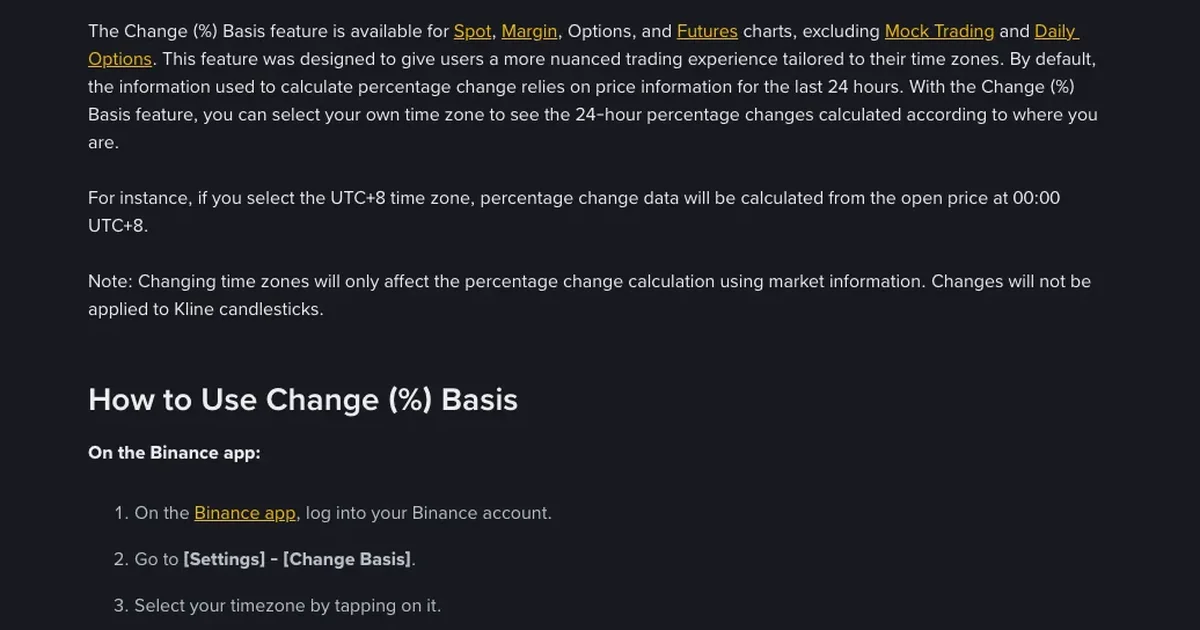
If you want Binance's percentage to have a fixed starting point too, the app lets you change it: open Settings from your account centre, find the price-change and chart time-zone setting in the theme group, and switch it from the last-24-hours option to UTC+8. The example in Binance's blog is that with UTC+8 selected, the % change is calculated from the open price at 00:00 Beijing time. That fixes the starting point, but it is the midnight open, which still isn't the previous close an A-share uses.
The price Binance's 24-hour change starts from
Where the 24 hours begin is spelled out in Binance's spot API documentation: the /api/v3/ticker/24hr endpoint is described as 24 hour rolling window price change statistics. The window ends now and starts 24 hours before now; query it again half an hour later and the start has moved half an hour as well. How much a stock is up today, the figure you're used to from stock trading, is not what this number gives you, and it is only one of the differences between crypto charts and stock apps that Tonghuashun and Xueqiu users run into on a crypto markets page.
Of the fields this endpoint returns, these are the ones that bear on % change:
| Field | Description in the docs | Example value in the docs |
|---|---|---|
| openPrice | Opening price of the Interval | 99 |
| lastPrice | Closing price of the interval | 4.000002 |
| priceChange | — | −94.999998 |
| priceChangePercent | — | −95.96 |
| prevClosePrice | — | 0.10002 |
| openTime / closeTime | Start / End of the ticker interval | 1499783499040 / 1499869899040 |
Check it against the example values: 4.000002 − 99 = −94.999998, which matches priceChange; −94.999998 ÷ 99 × 100% ≈ −95.96%, which matches priceChangePercent. The example prevClosePrice is 0.10002, and using that as the denominator gives roughly +3899%, which doesn't match. The two millisecond timestamps, openTime and closeTime, are 86,400,000 apart, exactly 24 hours. So don't take prevClosePrice for an A-share's previous close just because of its name: in the example, the value that reconciles with the percentage is openPrice.
The same documentation has a separate Trading Day Ticker endpoint (/api/v3/ticker/tradingDay), described as Price change statistics for a trading day. It takes a timeZone parameter that defaults to 0, meaning UTC. Leave the parameter out and a day on this endpoint is split on UTC, which in Beijing time means the day rolls over at 8 a.m.
Setting Binance's % change to start at 00:00 Beijing time
- Log in to the Binance app and open Settings from your account centre.
- In the theme group, find the setting for price-change basis and chart time zone; it sits in the same group as the setting for up and down colours.
- Switch it from the last-24-hours option to UTC+8.
- Before switching, note the percentage a coin shows on the markets page; after switching, go back and see whether the number has changed.
The path comes from the Binance help centre article on customising the Binance app's settings and notifications. If the option isn't in the theme group, look for the name Binance's blog uses: [Settings] - [Change Basis]. That blog post dates from 2022, when the feature launched; the help centre page was updated in 2026. Menu labels may have changed in later app versions, so if neither name matches, look in Settings for an entry with Change in its name.
The blog says the setting applies to spot, margin, options and futures charts, except demo trading and Daily Options. With UTC+8 selected, “percentage change data will be calculated from the open price at 00:00 UTC+8”, that is, from the open at midnight Beijing time. The help centre section covers the account side: pick a new UTC time zone and the PnL percentage for spot, margin, options and futures accounts is calculated on that time zone; pick the last-24-hours option and the system calculates PnL from the past 24 hours of data.
By the blog's account, once you switch to UTC+8 the starting point is pinned to midnight Beijing time and no longer slides with the clock during the day. That reads closer to the up-today figure stock investors know, but the start is the 00:00 open, not an A-share's previous close.
Do daily candles follow Beijing time after switching to UTC+8?
Binance's own two pages disagree on this.
The blog adds a note after the UTC+8 example: “Changing time zones will only affect the percentage change calculation using market information. Changes will not be applied to Kline candlesticks.”
The price-change and chart time-zone section of the help centre article on customising the Binance app's settings and notifications first says that switching time zones doesn't affect the price change shown on trading charts, then goes on to say that switching to UTC+8 applies the setting to both the % change and the spot/margin charts, while any other time zone affects only the % change.
So the blog says candlesticks are unaffected, while the help centre says UTC+8 changes the spot and margin charts too, and in the same section also says the price change shown on charts is unaffected. To see what your version of the app actually does, look at the same coin's daily chart before and after switching: if the open price of the latest candle changes, the daily candle boundary has moved with it.
If you pull data in code, the API docs leave no ambiguity. The kline endpoint /api/v3/klines takes a timeZone parameter that defaults to 0 (UTC); pass a timeZone and kline intervals are split on that time zone. You can give hours only (the docs' examples are 0, 8 and 4) or hours and minutes, within a range of −12:00 to +14:00. startTime and endTime are always read as UTC, whether or not you pass timeZone. For daily candles cut on Beijing time, pass timeZone=8.
A-shares compare with the previous close all day
Every provision in this section comes from the Shanghai Stock Exchange Trading Rules (2026 Revision). This version took effect on July 6, 2026, and repealed the 2023 revision at the same time.
Article 5.2.2 lists what the real-time quotes show during continuous auction: security code, short name, previous close, latest trade price, the day's high and low trade prices, the day's cumulative volume and turnover, and the best five bid prices and quantities and best five ask prices and quantities in real time. Article 3.3.13 sets the price limits with the formula limit price = previous close × (1 ± price-limit ratio), the ratio being 10%; in the same rules, Article 6.6 sets 20% for STAR Market shares.
No article in the rules says how a trading app should display % change. But the previous close and the latest trade price are published together in the quotes, and the limits are set by moving a fixed ratio up and down from the previous close, so the % change column in the app is the latest trade price against the previous close: (latest trade price − previous close) ÷ previous close × 100%. Run the numbers through that and the price reaches the limit-up price at around +10% (the limit-up price is rounded to 0.01 yuan under Article 3.3.17).
Article 3.3.13 also lists four cases with no price limit: the first 5 trading days after an IPO listing; the first trading day of a stock entering its delisting arrangement period; the first trading day of a stock relisted after delisting; and other cases the exchange determines.
The previous close isn't always the last trading day's closing figure, either. On an ex-rights or ex-dividend day, Article 4.3.2 makes the previous close shown in that day's real-time quotes the ex-rights (ex-dividend) reference price, and Article 4.3.3 makes that reference price the base for calculating the day's price change. On a new stock's first day of trading, Article 5.2.3 makes the previous close shown in real-time quotes the offering price, unless the exchange provides otherwise.
On ordinary days, the previous close is simply the last trading day's close. Under Article 2.4.2, auction trading runs an opening call auction from 9:15 to 9:25, continuous auction from 9:30 to 11:30 and from 13:00 to 14:57, and a closing call auction from 14:57 to 15:00. Article 4.1.3 says the closing price is set by call auction; if the closing call auction produces no closing price, or none is held, the close is the volume-weighted average price of all trades in the minute before the day's last trade (including the last trade); if nothing trades that day, the previous close becomes that day's close. Binance's 24-hour window has no closing price set by rules like these, because crypto trades around the clock with no closing bell; its start is simply the moment 24 hours before now.
One price, three starting points, three different readings
All prices below are hypothetical:
- A coin: traded at 100 USDT at 20:00 Beijing time yesterday; opened at 104 USDT at 00:00 Beijing time today; latest price 102 USDT at 20:00 today.
- A Shanghai main-board stock: previous close 10.00 yuan; today's open 10.20 yuan; latest trade 10.35 yuan at 14:00.
| Which figure | Starting point | Formula | % change |
|---|---|---|---|
| Binance default (last 24 hours), checked at 20:00 today | 100 USDT, 24 hours earlier | (102 − 100) ÷ 100 × 100% | +2.00% |
| Binance switched to UTC+8 (per the blog's method), checked at 20:00 today | 104 USDT, the 00:00 Beijing-time open | (102 − 104) ÷ 104 × 100% | −1.92% |
| A-share trading app, checked at 14:00 | Previous close, 10.00 yuan | (10.35 − 10.00) ÷ 10.00 × 100% | +3.50% |
| Same stock, measured from the day's open | Open, 10.20 yuan | (10.35 − 10.20) ÷ 10.20 × 100% | +1.47% |
The coin's price is the same 102 USDT in both rows, yet moving the starting point from 100 to 104 flips the percentage from positive to negative. The default 24-hour figure also drifts on its own: check again at 20:30 and the start is now yesterday's 20:30 price, so even with the price still at 102 the percentage can change. After switching to UTC+8, the start stays at 104 for the rest of the day.
In the two stock rows, moving the start from 10.00 to 10.20 shifts the result for the same 10.35 yuan by more than two percentage points. Under Article 3.3.13, this stock's limit-up price for the day is 10.00 × 1.1 = 11.00 yuan and its limit-down price 10.00 × 0.9 = 9.00 yuan, so the current price is 0.65 yuan short of limit-up. That safety catch doesn't carry over to crypto, where there are no daily price limits of this kind.
Sources
- Binance help centre, article on customising the Binance app's settings and notifications (Chinese version), price-change and chart time-zone section: the app path, PnL percentage calculated on the chosen time zone, and the statement that UTC+8 also applies to spot/margin charts.
- Binance blog, New Percentage Change Basis Feature Available on Binance Spot, Margin, Options, and Futures Charts: calculated over the past 24 hours by default, calculated from the 00:00 open under UTC+8, time-zone changes not applied to Kline candlesticks.
- Binance Spot REST API documentation, Market section: fields and timeZone parameters for the 24hr ticker, Trading Day Ticker and kline endpoints.
- Shanghai Stock Exchange Trading Rules (2026 Revision) (in Chinese): Articles 2.4.2, 3.3.13, 3.3.17, 4.1.3, 4.3.2, 4.3.3, 5.2.2, 5.2.3 and 6.6.
FAQ
On an ex-rights or ex-dividend day, what is an A-share's % change measured from?
From the ex-rights (ex-dividend) reference price. Article 4.3.3 of the SSE Trading Rules makes the ex-rights (ex-dividend) reference price the base for calculating that day's price change, unless the exchange provides otherwise, and Article 4.3.2 says the previous close shown in that day's real-time quotes is this reference price. Reference price = [(previous close − cash dividend) + rights issue price × change ratio of circulating shares] ÷ (1 + change ratio of circulating shares).